Preferences and add-ons
What you can set, which add-ons there are and what each is for, and where Numa keeps its files.
On Linux, open Preferences from the main menu or with Ctrl ,. It has three pages, General, Add-ons and Storage, and a search.
General
- Colour: the Display profile Numa uses for your screen (it reads it from your desktop, so a wide-gamut monitor does not oversaturate your photographs), and Camera profile, what Automatic uses on every photograph: Numa's own profiles first, RawTherapee's or your own, or the camera's matrix.
- Opening Photographs: Open photographs with Numa makes Numa the app your desktop opens photographs with.
- Imports: Check Copies Again, once a month, reads every file an import's receipt lists again and says only when one has changed (see Two copies, both checked).
- Numa Home: the Address of your Numa Home, your Name and Password, and Sign In; then who is signed in, and Sign Out. Once a library is kept at Numa Home, Update Kept Libraries says when Numa Home libraries are brought up to date, At Night or While Open, and Also on Metered Connections, off by default, lets it use a phone's hotspot (see Keeping an import at Home).
- Updates: Check for new versions, once a day, from the releases page on GitHub. Nothing about you or your photographs is sent. It is off until you switch it on.
- Applications Menu: Show Numa in the applications menu, for the AppImage.
Add-ons
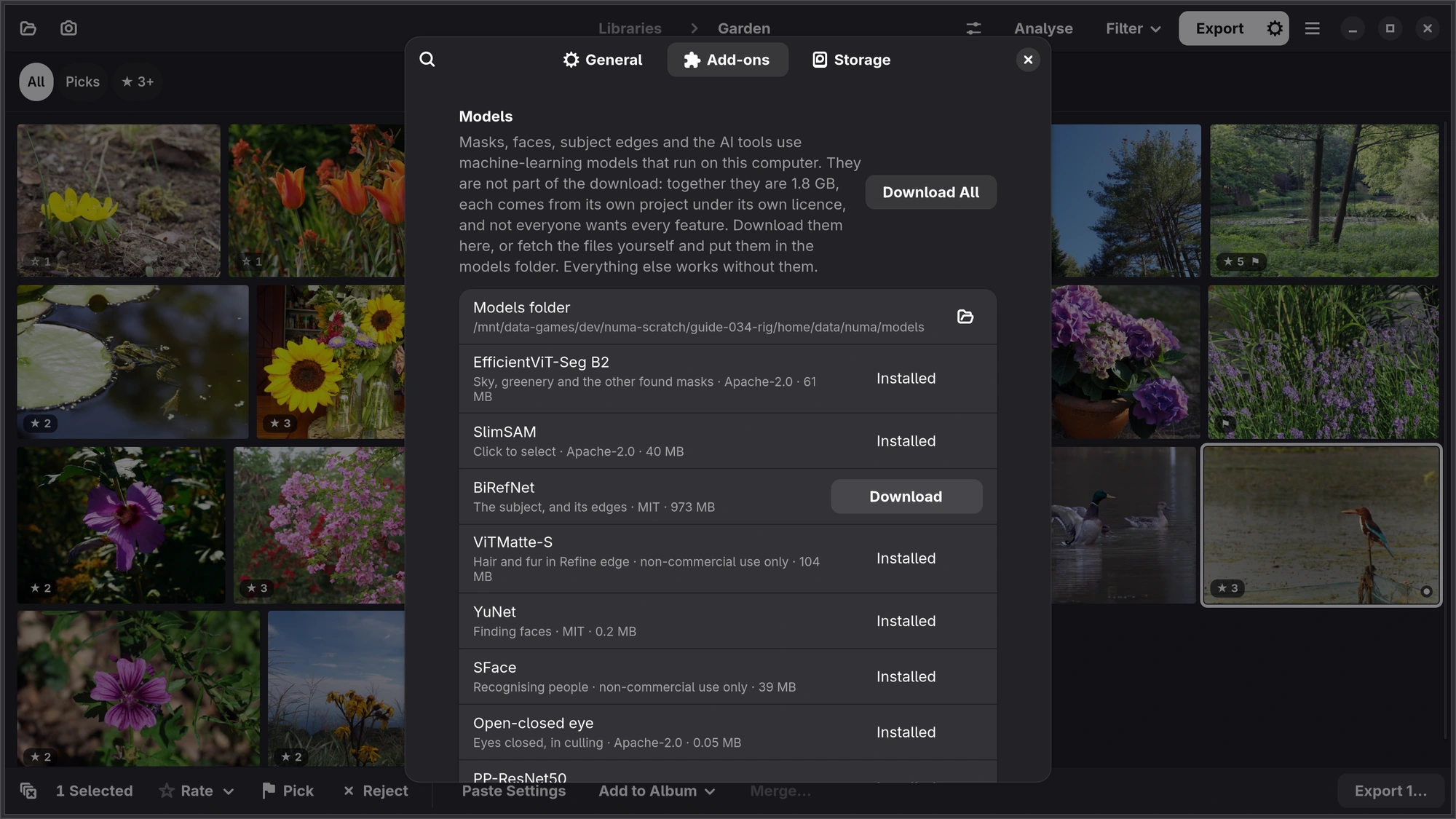
The models behind Numa's smarter features are downloaded only when you ask, one by one or with Download All. Each one is checked after downloading, and all of them run on your computer.
| Add-on | What it is for | Size |
|---|---|---|
| EfficientViT-Seg | Sky, greenery and the other found masks | 61 MB |
| BiRefNet | The subject, and its edges | 973 MB |
| SlimSAM | Click to select | 40 MB |
| ViTMatte-S | Hair and fur in Refine | 104 MB |
| PP-ResNet50 | Naming the animal in a subject mask | 103 MB |
| YuNet | Finding faces | 0.2 MB |
| SFace | Recognising people | 39 MB |
| Open-closed eye | Eyes closed, in culling | 0.05 MB |
| LaMa | Remove | 208 MB |
| YOLOX-s | Remove People | 36 MB |
| SCUNet | AI denoise | 77 MB |
| Restormer | AI sharpen | 107 MB |
| RealPLKSR | Super Resolution: export at twice the size | 30 MB |
ViTMatte-S and SFace were trained on data whose terms allow non-commercial use only, and Add-ons says non-commercial use only beside them where the other models name their licence: leave them out if you use Numa for paid work. Numa works without them.
Acceleration. Use GPU acceleration uses your graphics card for opening photographs, and, with its own download (47 MB), makes found masks, click to select and AI denoise three to six times faster. Where the card cannot, Numa uses the processor, with the same result. It takes effect the next time Numa starts.
Camera profiles. RawTherapee camera profiles adds profiles for 161 cameras (67 MB). Your profiles is the folder for profiles you add yourself.
Profile for Your Camera. At the end of Camera profiles, Make… makes a profile for your camera from your own photographs. Numa learns the colours your camera gives the picture it makes of each raw file (the JPEG inside it), so it needs photographs taken in the camera's standard colour, without a look: on a Fujifilm, Provia with Color at 0; on a Sony, Creative Style or Creative Look Standard; on a Canon, Picture Style Standard (not Auto); on a Nikon, Picture Control Standard; each with saturation at 0. Set your camera that way, take at least eight photographs with plenty of colour in them on more than one day, and add them to a library. Choose the camera, and Numa says what it needs before anything runs; then it finds those photographs, learns from them and tests the result on photographs from another day, in under a minute. Only when the new profile comes nearer your camera's own colours than what Numa used before is it kept, as Your X-T20 (with your camera's name) in Your profiles, and Automatic then uses it for every photograph from that camera. For other makes Numa cannot read the camera's setting, so bring only photographs taken in its standard colour. Numa never moves or changes the photographs.
iPhone, iPad, Mac Add-ons… is in the ⋯ menu on the Libraries page. There is no switch for acceleration: the Apple apps use the device's own. Recognising people (SFace) is not in the Apple apps. Profile for Your Camera is at the end of its Camera profiles, as here.
Storage
Numa's Files lists every folder Numa keeps things in, the LUTs folder among them, with its size and a button to open it. Previews sets how much room the developed previews may take in each library (a photograph you opened before then opens at once); Clear empties them. Removing Numa says what to delete to leave nothing behind.
About and reporting a problem
About Numa, in the main menu, has the version and, under Troubleshooting, everything useful for a bug report in one block: versions, graphics card, models and library. Legal lists the licences of Numa and of everything in it, and on Linux Source Code opens Numa's source on GitHub. Send it with your report to support@numa.photo or GitHub.
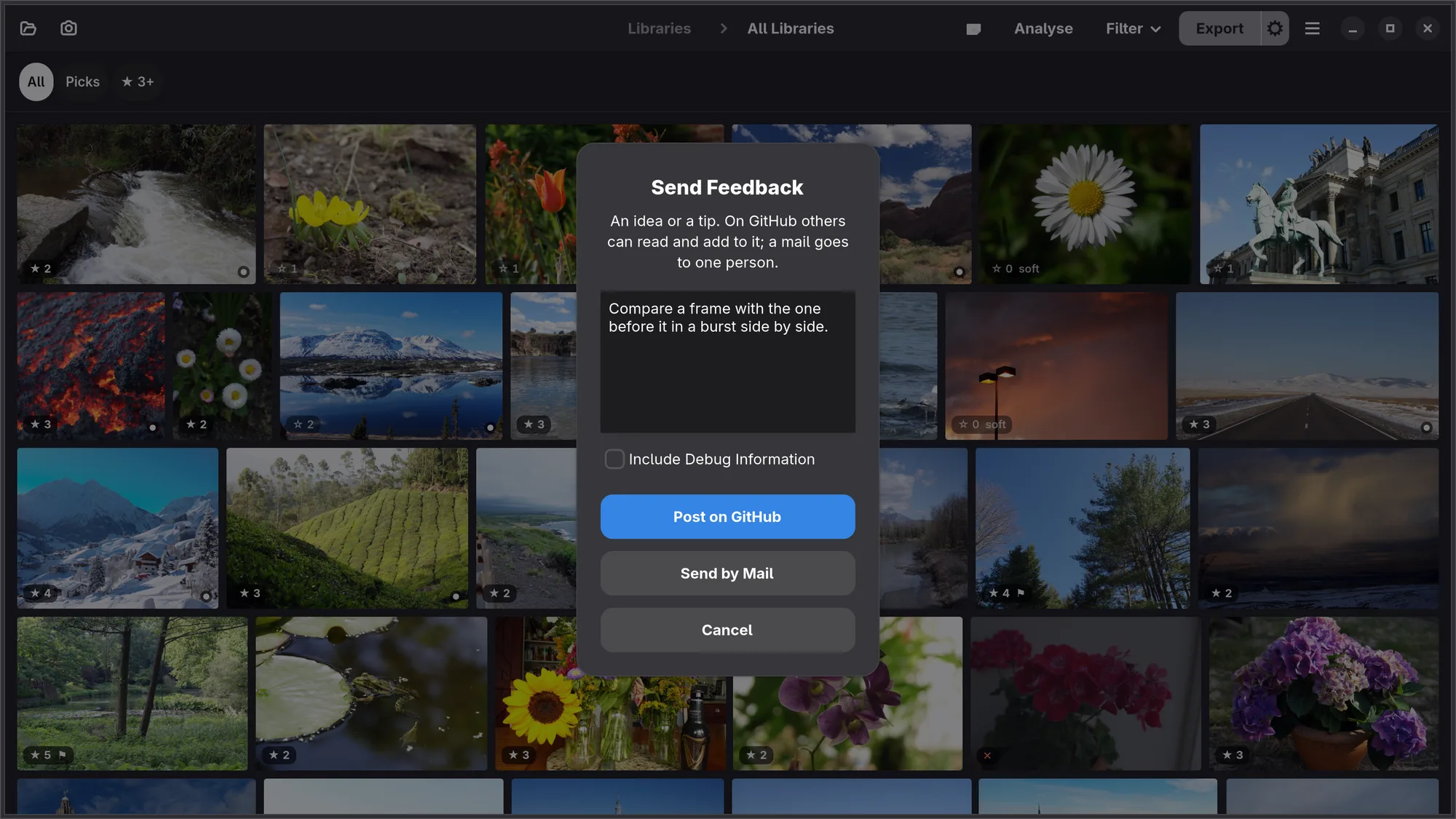
Send Feedback…, in the main menu, is for an idea or a tip. Write it, then Post on GitHub opens a new discussion among Numa's ideas, already filled in, where others can read and add to it; Send by Mail puts it in a mail to support@numa.photo instead, for anyone without a GitHub account. Include Debug Information adds the block from About, and is off unless you tick it. Nothing goes anywhere until you post it or send the mail yourself.
iPhone, iPad, Mac Send Feedback… is in the ⋯ menu on the Libraries page, above About Numa.
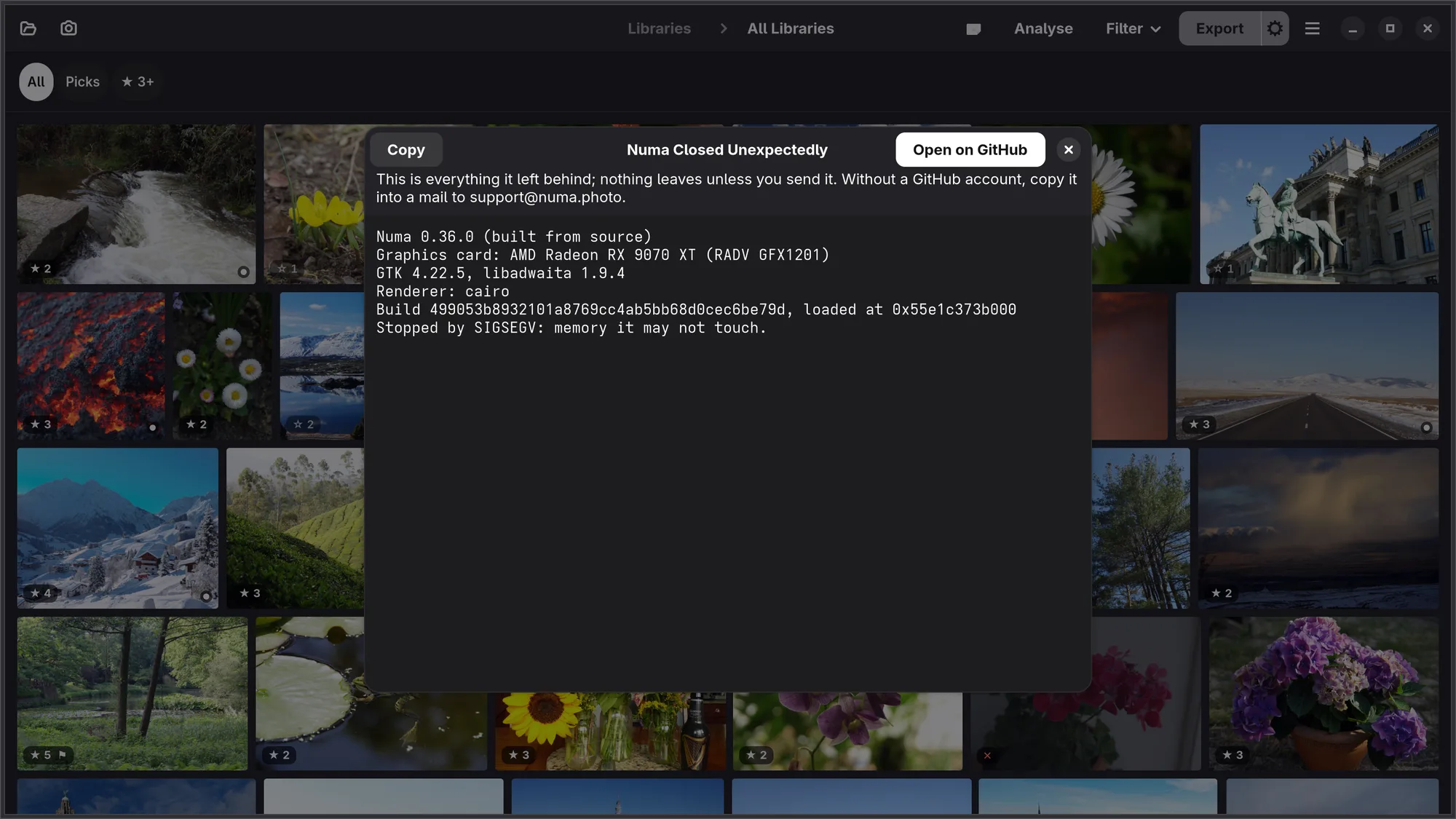
If Numa closes unexpectedly — it crashed, or the graphics driver under it did — the next start says so at the bottom of the window. Send Report… shows everything the crash left behind: the version, how Numa was installed, the graphics card and, when Numa itself stopped on an error, where in its code. Never a photograph, a file name or a folder. Open on GitHub opens a new problem report with it filled in; Copy puts it on the clipboard, to mail to support@numa.photo. Nothing is sent unless you send it, and it asks only once.
iPhone, iPad, Mac The system collects crashes itself. With Share With App Developers on, in Settings → Privacy & Security → Analytics & Improvements, they reach Numa's developer without you doing anything.