
Tidy Up
Exact copies, runs of the same frame and photographs past use, in small sets with Numa's pick. Nothing goes without your choice.
Sets to choose from
Tidy Up, under ARCHIVE in the side list, shows each library with photographs you may not need as a stack, with how many (“2 photos to tidy”). Choose one, or Tidy Up in a library's head, to see them in small sets. Numa decides as Numa Home does:
- Exact Copies: the same file more than once, byte for byte, in one library or in two. Numa keeps the one with edits, stars or a pick, else the first.
- The Same Frame: three frames or more of one moment, as Analyse found the burst. Numa picks a frame with the eyes open, then the sharpest of the run, then the highest suggested rating; each frame says what Numa saw (“~3.4 stars”).
- Unusable: blurred past use (softer than nearly everything else in its library), nearly black or white, or blown out; up to six to a set.
Chips above the sets show them all or one kind, with how many sets each has. In a set, what Numa would keep has a white ring and a tick, and Numa's Pick marks its best; what would go is dimmed. Click a frame to keep it or let it go, and the button under the set says what will happen: Keep Best, or “Keep 2, Move 3 to Trash” once you have changed it. Keep All keeps every one. The button at a frame's top right opens the set in the loupe, to look closer.
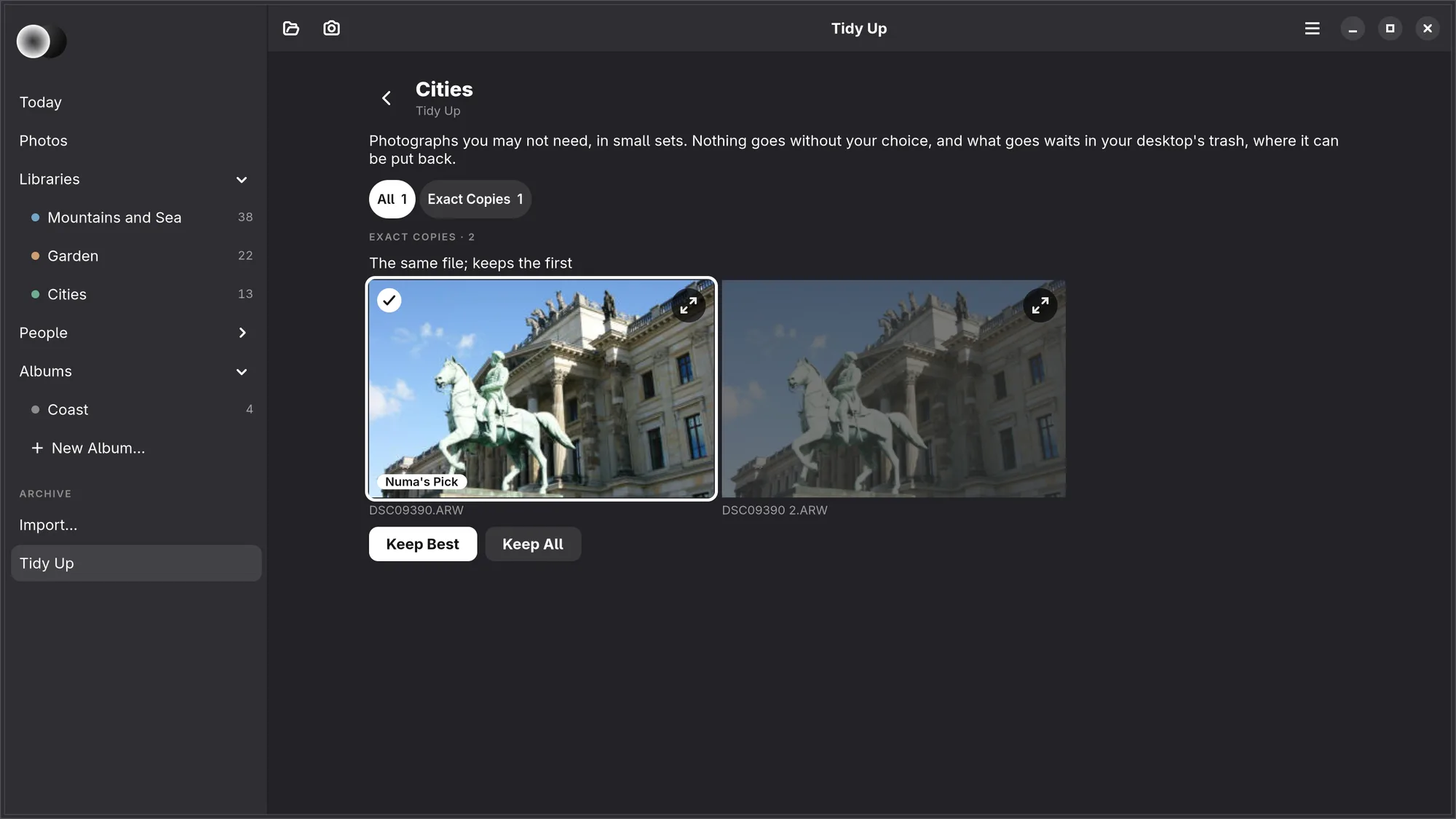
A photograph with stars, a pick or edits never goes, whatever is chosen: someone cared for it. What goes is moved to your desktop's trash, with a raw's own JPEG, and can be put back from there. A set you have answered is not asked about again.
The first time, Numa compares the files of the same size byte for byte, beside the window; it says how many are still being compared, and the copies among them show when it is done. The Same Frame and Unusable come from Analyse, so a library shows them once it has been analysed. Today counts the sets under Waiting for You.
Numa Home's libraries are tidied at Numa Home, and a library on a drive that is not connected waits until it is back.
iPhone, iPad, Mac Not yet.